You change your plan where you bought your subscription. The App Store or Google Play manages subscriptions from the app. You manage subscriptions from the dashboard at dash.swopi.co.
#In the app
- Tap Settings at the bottom and choose Subscription. You see your current plan and what it includes.
- To move up, tap See Event Intelligence in the Upgrade section. A screen opens where you choose a plan and monthly or yearly billing.
- To move down, tap Manage next to Current subscription. The subscription settings in the App Store or Google Play open, and you finish the change there.
#On the dashboard
- Sign in at dash.swopi.co.
- In the left menu, open Settings and then Subscription.
- Choose the tab For individuals or For companies & teams, and pick monthly or yearly billing.
- Click the button of the new plan. For a lower plan, click Downgrade to and the plan name.
The change applies right away. The price difference is settled on your next invoice.
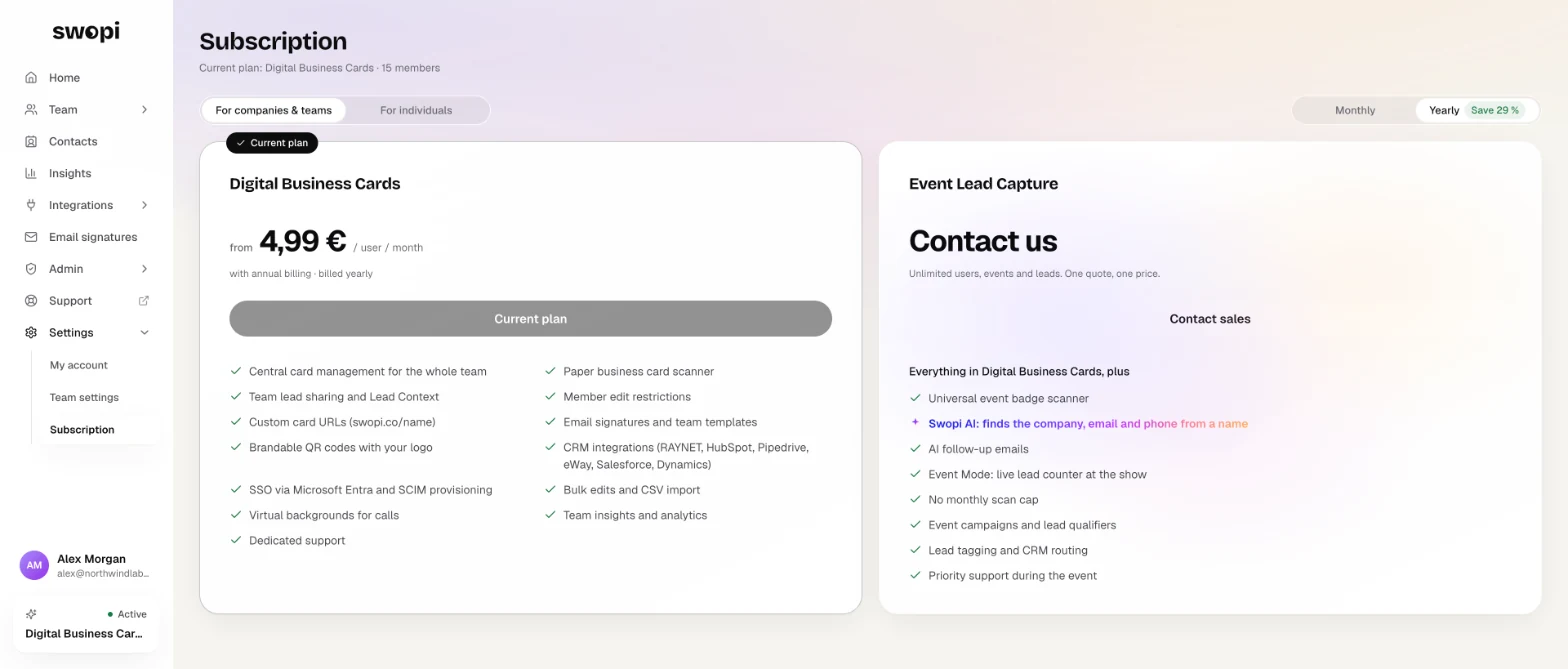
#Team plan Teams
Only an admin can change the team plan. You do not need to count licenses: when you add or remove a member, the licenses adjust automatically. The Digital Business Cards plan starts at 5 licenses.
For Event Lead Capture licenses for the people who go to events, talk to Swopi directly. In Subscription, click Contact sales.
If you are a team member, your company takes care of the subscription. The app shows that your organisation bills and manages it.
#Your plan is missing after you reinstall the app
In the app, open Settings, then Edit Account Details, and tap Restore purchases (subscription). If that does not help, email support@swopi.co.